Virtual Science Labs: A Homeschool Parent’s Honest Guide
The Eaton Team
•April 11, 2026•
12 min read
You want your kids to do real science—not just read about it. But you don’t have a lab, pricey gear, or a science degree. What if you could give them hands-on tests without buying beakers or storing chemicals? Virtual science labs make that possible. These online tools let students run tests, collect data, and explore science from your kitchen table. No mess, no costly supplies, and no stress about teaching it right.
Virtual science labs aren’t just videos. They’re live sims where your kids do the work. They can cut open a frog, build circuits, or mix chemicals and see what happens. The software guides them through each step and explains the science. They can repeat tests until the ideas click. For homeschool families, this means your middle schooler can explore chemistry or your high schooler can do college-prep biology—all without turning your home into a lab.
What Are Virtual Science Labs?
Virtual science labs are digital sims that let students do tests on computers or tablets. Instead of mixing real chemicals or handling real samples, your kids use software that acts like the real thing. They can change things, collect data, and watch what happens—just like in a real lab. The difference? No supplies to buy, no mess to clean up, and no safety worries about broken glass or chemical spills.
These labs range from simple sims—like watching how plants grow under different light—to complex virtual reality where students feel like they’re inside a cell or walking through space. The software covers all the major science subjects: biology, chemistry, physics, and earth science. Your seventh grader might cut open a virtual frog one day and build a circuit the next. Your high schooler can run chemistry tests that would be too risky or costly to do at home. The sims guide students through each step, explain the ideas, and let them repeat tests as many times as needed.
Why Virtual Science Labs Work for Homeschool Families
Virtual science labs solve the biggest problems homeschool parents face when teaching science. You don’t need to buy microscopes, dissection kits, or chemistry sets that cost hundreds of dollars and take over your closets. You don’t need to worry about your kids handling acids, working with power, or making mistakes that waste costly materials. And you don’t need to follow a rigid lab schedule—your students can run tests whenever they’re ready, repeat them as many times as needed, and work at their own pace.
Here’s what makes virtual science labs work well for homeschool families:
Zero equipment costs. Everything runs on your computer or tablet. No beakers, no chemicals, no storage problems.
Complete safety. Your kids can explore risky tests—mixing reactive chemicals, working with high voltage, or cutting open samples—without any real risk.
Unlimited retries. Made a mistake? Just reset the test. No wasted materials, no cleanup, no guilt about the cost.
Flexible scheduling. Run labs at 9 AM or 9 PM. Pause mid-test for lunch. Pick up where you left off tomorrow. Virtual labs fit your family’s rhythm.
What Can Students Actually Do in Virtual Science Labs?
Virtual science labs give your kids the freedom to test across all the major science subjects. They’re not just watching demos—they’re changing things, making guesses, and seeing quick results. Here’s what they can explore:
Chemistry: Mix compounds and watch reactions happen in real time. Your student can combine acids and bases, observe color changes, measure pH levels, and balance equations with visual feedback that shows exactly what’s happening at the molecular level.
Biology: Do virtual dissections without the smell or cost of preserved samples. Students can examine cell structures under digital microscopes, breed virtual organisms to study genetics, and explore human anatomy systems in three dimensions.
Physics: Test motion, forces, and energy with adjustable settings. Your kids can build electrical circuits, launch projectiles at different angles, study wave behavior, and change friction or gravity to see how physical laws work.
Earth science: Simulate weather patterns, explore plate tectonics, and observe space events. Students can speed up geological processes that take millions of years or zoom through space to study planetary motion.
Each sim lets them repeat tests, change one thing at a time, and learn from mistakes without wasting materials or waiting for new supplies.
How to Choose the Right Virtual Lab for Your Student
Not all virtual science labs work the same way. What helps one student might frustrate another. Before you commit to a platform, think about what your family really needs. Are you looking for a full science course with lesson plans, or do you just want sims to add to your current curriculum? Does your student need detailed steps, or do they learn better by exploring on their own?
Here’s how to find the right fit:
Match the grade level and standards. If you’re following state standards or preparing for standardized tests, check that the lab covers the right topics. Some platforms align with Next Generation Science Standards, while others follow AP or college-prep curricula.
Look for teacher support. The best platforms include lesson plans, worksheets, answer keys, and assessments. You shouldn’t have to create all the supporting materials yourself.
Test the interface first. Most platforms offer free trials. Let your student try a few tests to see if the controls make sense and the explanations are clear enough.
Decide between courses and simulations. Full courses guide you through an entire subject, while standalone sims let you pick and choose tests to fit your schedule.
Popular Virtual Science Lab Options
You don’t need to spend hundreds of dollars to get started with virtual science labs. Free platforms give your kids real science experiences without any money commitment. PhET Interactive Simulations from the University of Colorado offers dozens of physics, chemistry, biology, and earth science sims—all completely free. Your kids can explore circuits, balance chemical equations, or model natural selection. Labster offers free trials of their premium content, so you can test advanced biology and chemistry labs before committing. Google Science Journal (now open-source) turns smartphones into data collection tools for tests using built-in sensors.
If you want more structured content, subscription platforms provide full lab experiences. Labster’s full subscription gives you access to over 300 labs covering high school and college-level science. Beyond Labz focuses on chemistry with custom tests and detailed feedback. Carolina Science Online pairs virtual labs with their physical science kits. Prices range from $10–$30 per month for individual subscriptions to $100–$300 per year for full curriculum access. Many homeschool science curricula now include virtual science labs as part of their packages—Apologia, Berean Builders, and others integrate sims directly into their lessons, so you’re not piecing together separate resources.
Should You Use Virtual Labs, Physical Labs, or Both?
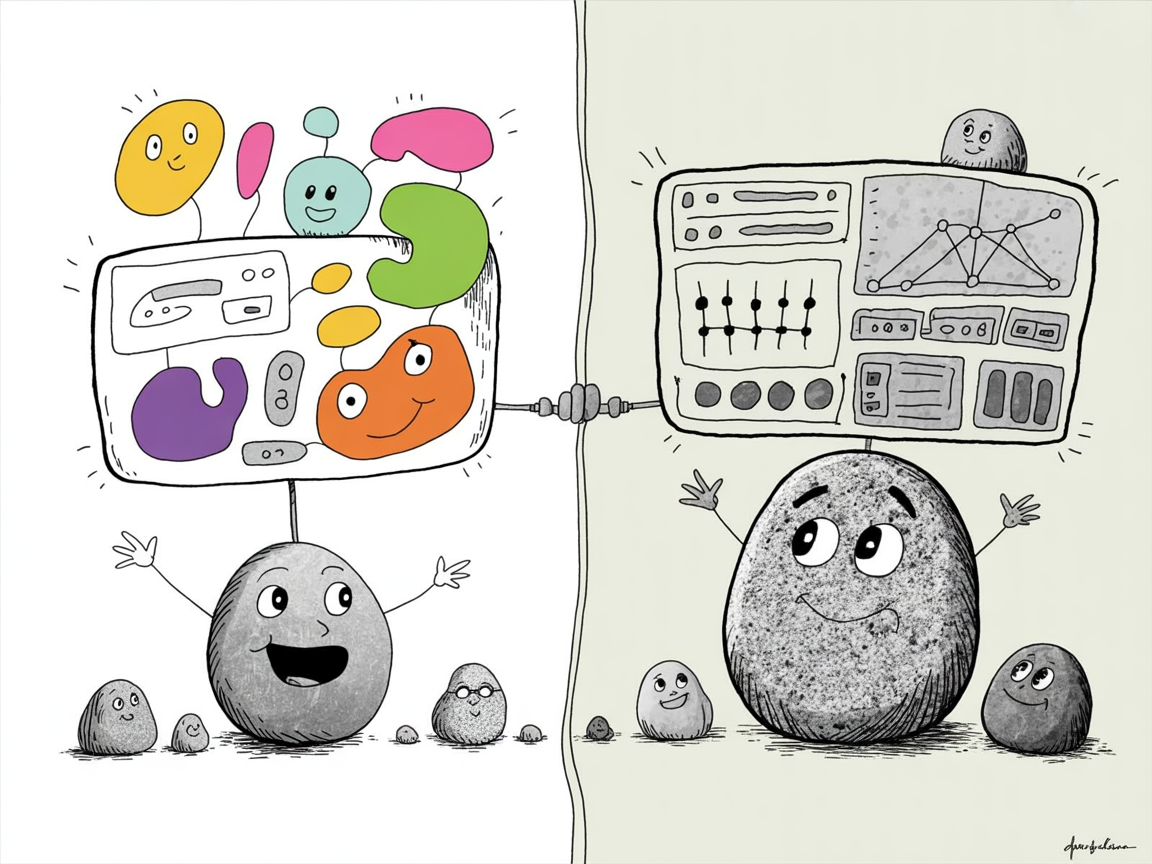
You don’t have to choose between virtual and physical labs—most homeschool families get better results using both. Virtual science labs shine when tests are too risky, too costly, or too small to see. Your high schooler can explore radioactive decay or cut open a human heart without the cost or safety concerns. Physical labs build different skills: measuring liquids, fixing equipment, and solving problems when things don’t go as planned. Those hands-on moments teach persistence and real-world thinking that sims can’t copy.
A hybrid approach works well for most families. Use virtual science labs to explore advanced ideas like molecular biology or chemical reactions your student isn’t ready to handle safely. Save physical tests for basic skills—measuring, mixing, watching changes in real time. Your third grader learns more from growing real bean seeds than clicking through a sim. Your tenth grader studying organic chemistry? Virtual labs let them practice techniques before they touch costly glassware.
Consider your student’s age and learning goals. Younger kids need more hands-on experiences. High schoolers preparing for college science need both—physical labs for basic techniques and virtual labs for complex ideas they’ll see in university courses. Check your state’s homeschool requirements too. Some states require documented lab hours for high school transcripts, and many accept virtual labs as part of that requirement.
Getting Started With Virtual Science Labs
You don’t need to commit to a full curriculum on day one. Start small and build confidence—both yours and your student’s. Here’s how to ease into virtual science labs without overwhelming anyone:
Identify what science topics your student needs to cover this year. Look at your state’s standards or your chosen curriculum scope. Does your eighth grader need to learn about chemical reactions? Is your high schooler tackling physics? Knowing your targets helps you choose the right sims.
Try two or three free virtual labs to see what interface works best. Some platforms use drag-and-drop controls. Others feel more like video games. Let your student test-drive a few options—what feels easy to them matters more than what looks impressive to you.
Start with one simulation per week alongside textbook reading. Read about photosynthesis on Monday, run the virtual lab on Wednesday. This rhythm reinforces ideas without adding hours to your schedule.
Have students record observations and conclusions like real scientists. A simple lab notebook—even just a composition book—turns sims into real science work. Writing down results helps ideas stick and gives you documentation for your records.
Frequently Asked Questions
Do colleges accept virtual science labs for admissions?
Many colleges accept virtual science labs as part of your science coursework, especially when you combine them with some hands-on tests. The key is documentation—keep detailed lab reports, data tables, and photos of any physical work you do. Some selective schools prefer traditional wet labs for biology and chemistry, so check the specific requirements of colleges your teen is interested in. You can call admissions offices directly and ask about their lab policies for homeschoolers. Most will tell you exactly what they need to see on a transcript.
What equipment do we need for virtual science labs?
Most virtual science labs work on any computer, tablet, or Chromebook with a reliable internet connection. You don’t need special equipment or powerful processors for basic sims. Some advanced programs might require specific browsers like Chrome or Firefox, or ask you to update your software. Check the platform’s technical requirements before you buy a subscription. If you’re using an older device, test the free trial first to make sure everything runs smoothly.
Are virtual labs as good as real labs for learning?
Research shows that virtual science labs teach scientific ideas well—and sometimes better than physical labs for understanding complex processes you can’t see with your eyes. Students can repeat tests instantly, zoom into molecular levels, and explore risky reactions safely. That said, they work best when you combine them with some hands-on experiences. Your kids still need to feel what it’s like to measure liquids, observe real samples, and fix problems when equipment doesn’t cooperate. Think of virtual labs as a powerful tool in your teaching toolkit, not a complete replacement for all physical science work.
How much do virtual science labs cost?
Free options exist if you’re just starting out or want to add to your curriculum. Platforms like PhET offer basic sims at no cost. Subscription services with more full labs typically range from $10 to $30 per month. Full curriculum programs that integrate virtual science labs with lesson plans and assessments usually cost $200 to $500 per year per student. Many companies offer free trials, so you can test the platform before committing. Some families find that mixing free resources with one paid subscription gives them everything they need without breaking the budget.
Virtual science labs remove the biggest barriers to quality homeschool science education—cost, space, safety concerns, and your own confidence in teaching complex topics. Your kids get real lab experience without the real lab. They can explore, make mistakes, and try again without wasting supplies or creating hazards. You get peace of mind knowing they’re learning proper scientific methods with built-in instruction and feedback.
Start with free trials to find what works for your student’s learning style. Some kids love the freedom of open-ended sims, while others need more structure and guidance. Try a few platforms before committing to a subscription. And remember—virtual science labs work best when you combine them with hands-on tests. Use virtual labs for the complex or risky stuff, and let your kids get their hands dirty with simple kitchen science for everyday ideas.
Here’s your next step: pick one topic your student is studying right now and try a free virtual lab this week. Just one test. See how they respond, watch how the platform works, and decide if it’s right for your family. You might be surprised at how much your kids learn—and how much easier science becomes for both of you.
Curated resources and expert insights from the Eaton team to support your homeschool journey. Our content is researched and crafted to help families thrive.